AI is no longer a side feature for traders. It has become part of how they research markets, test ideas and interact with the software they use every day. For brokers and prop firms, the challenge is to provide AI functionality that connects directly to the trading environment.
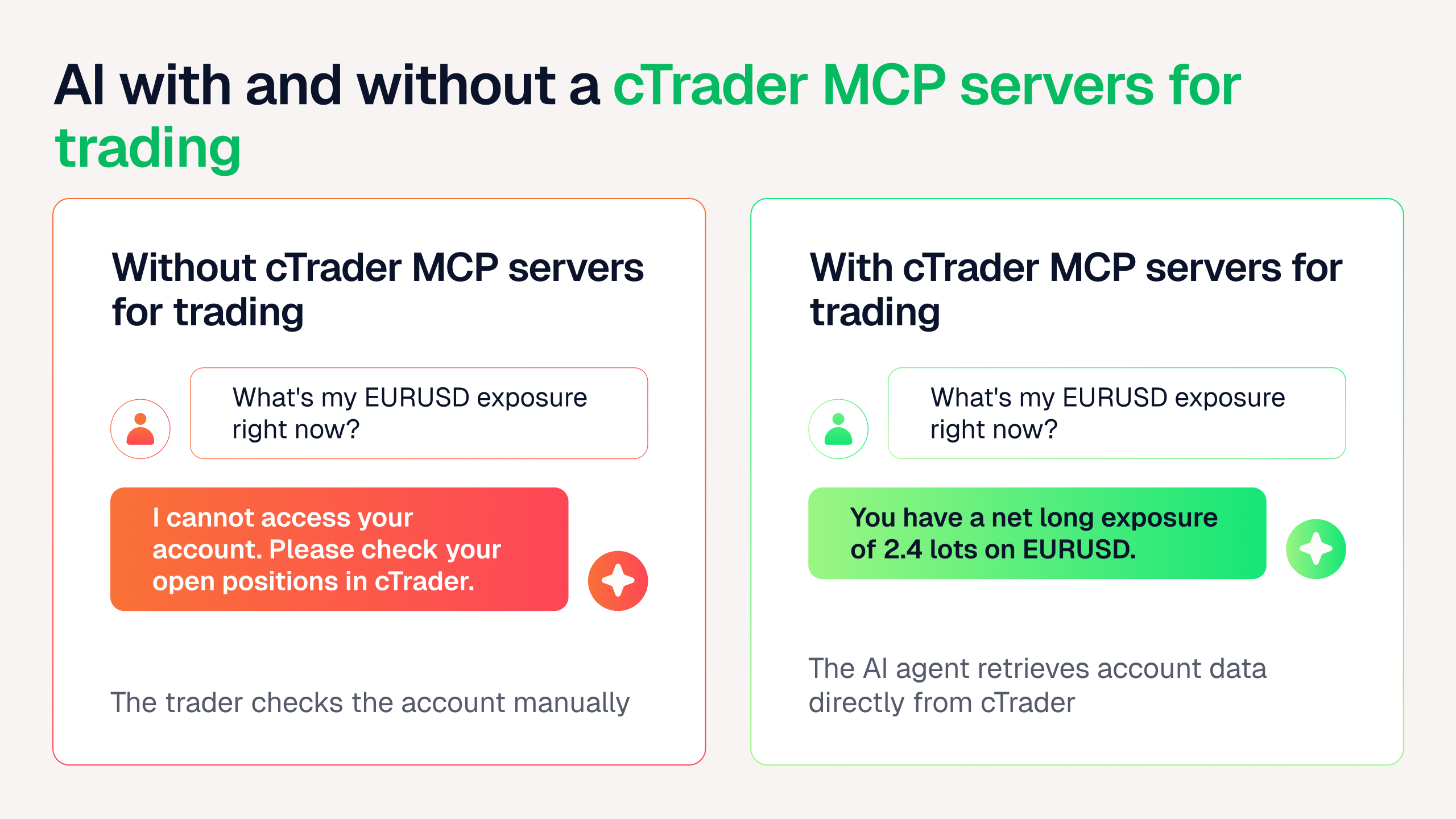
Many AI tools remain disconnected from execution, account data and platform controls. A trader can ask an AI assistant a question about the market, but that assistant usually cannot see the trader's positions, place an order or check account equity. This gap limits how useful AI can be in real trading workflows.
cTrader MCP servers for trading close that gap. They connect supported AI agents directly to cTrader, so traders can issue commands in plain language to manage trades, check account data, analyse markets and customise their workspace within the AI tools they already use.
For brokers and prop firms, this is a business opportunity rather than simply a new technical feature. It means meeting the rising demand for AI-assisted workflows, reaching AI-native trader segments, differentiating the platform offering and building a more future-ready client proposition, all without having to design or build the connectivity themselves.
This shift is not going to slow down. As more traders bring AI agents into their daily research and decision-making, platforms that keep those agents locked out of real account data and execution will start to feel dated. Brokers and prop firms that can meet traders where their workflow is already heading stand to gain an early advantage, both in acquisition and in how engaged existing clients stay over time.
What are cTrader MCP servers for trading?
MCP stands for Model Context Protocol, an open standard that lets AI agents call on external tools and data sources. cTrader MCP servers apply this standard to trading so an MCP-compatible AI agent can interact with a trader's cTrader account using natural language.
In practice, this means a trader can type or say something like "Show me my open positions and their profit and loss" or "Place a limit order on EURUSD" directly inside an AI app, and the agent carries out the action inside cTrader.
cTrader MCP servers work with popular AI apps, including Claude Code, Codex, Cursor, Windsurf and Gemini CLI. Traders connect through one of two modes:
- Local MCP server. Connects to cTrader Windows or cTrader Mac. The trader enables the MCP server inside the desktop app, then pastes the configuration provided into their AI client. The AI agent can complete the rest of the setup and confirm the connection.
- Remote MCP server. Connects through cTrader Web using an account-specific token and requires an active web session. The trader opens Settings, finds remote MCP and copies an account-specific configuration and token into their AI client. The token is issued for each trading account.
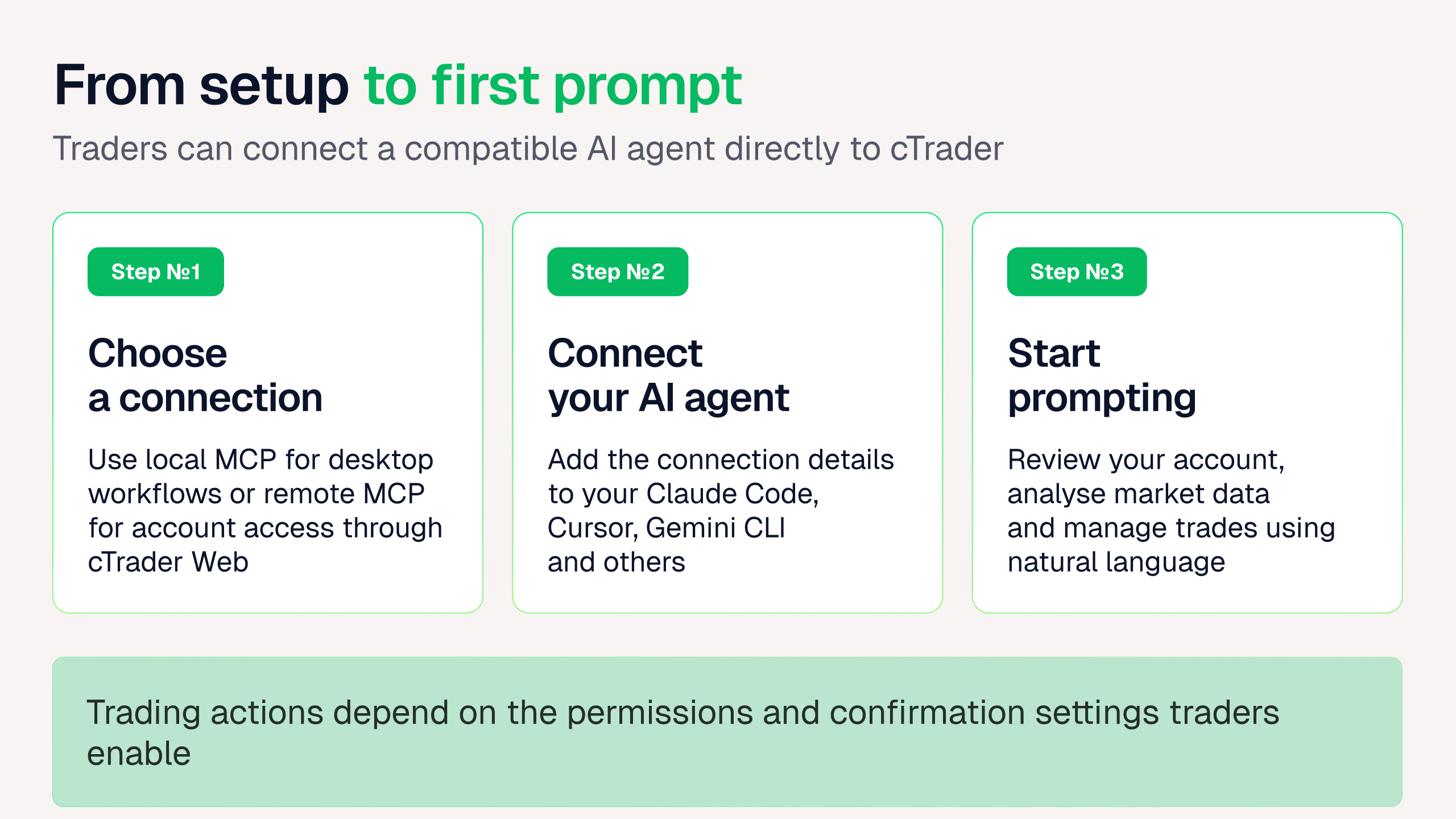
In both cases, connecting an AI agent to cTrader is something the trader sets up themselves at account level. Brokers don't need to build a custom integration between AI tools and their platform. Once MCP is available in cTrader, it's available to every trader who wants to use it, with no development work required on the broker's side.
Control and security
Giving an AI agent access to a trading account raises an obvious question: can it act without the trader's say-so? Not by default. Every trade requires the trader’s explicit confirmation before it’s carried out, so an AI agent cannot place or close a trade without the trader’s approval at that step. However, a trader can disable this confirmation requirement, which allows AI agents to execute trades without individual approval.
MCP servers themselves don't provide financial, investment, legal or tax advice. They give an AI agent the ability to act inside cTrader; they don't tell the trader what to trade. Traders remain responsible for reviewing what the AI agent proposes and for supervising its actions throughout.
This distinction matters for brokers positioning MCP to their client base. AI connectivity is not the same as uncontrolled automation. It gives traders a faster way to interact with the platform, with the same accountability that applies to any manual action.
Local MCP server
The local MCP server works with cTrader Windows and cTrader Mac and offers the broadest set of AI-assisted capabilities, because it can reach further into the desktop app itself.
Through the local MCP server, an AI agent can:
- Place, modify and close trades and manage pending orders
- Check account balance, equity, margin and account statistics
- Pull live and historical market data and news
- Review trade history, portfolio exposure and risk
- Open, navigate and control charts
- Add and configure built-in indicators and read their values
- List, start and stop desktop plugins
- Manage workspaces and UI layout
- Create, view and delete price alerts
This range means a trader can ask their AI agent to do far more than simply check numbers. A typical prompt might be: "Open a chart for EURUSD on the four-hour timeframe, add RSI and a 200-period moving average, then tell me whether price is above or below the average and whether RSI shows overbought conditions." The AI agent carries out each step inside cTrader and reports back in plain language.
Remote MCP server
The remote MCP server connects to cTrader Web and focuses on the workflows traders need most: trading, account information and market data.
Through the remote MCP server, an AI agent can:
- Place, modify and close trades and manage pending orders
- Check account balance, equity and margin
- Pull live prices and historical candles for market analysis
- Review trade history, open positions with unrealised P&L and total exposure
Remote MCP is lighter than local MCP by design. It doesn't extend into chart control, indicators, plugins, workspaces or price alerts, since those are desktop-specific functions. What it does offer is access from anywhere a trader can reach cTrader Web, without needing the desktop app installed.
Together, the two options let brokers support traders wherever they work. Desktop-based traders who want deeper platform control through local MCP and web-based traders who want core trading and analysis on the go through remote MCP are equally equipped.
Business value for brokers and prop firms
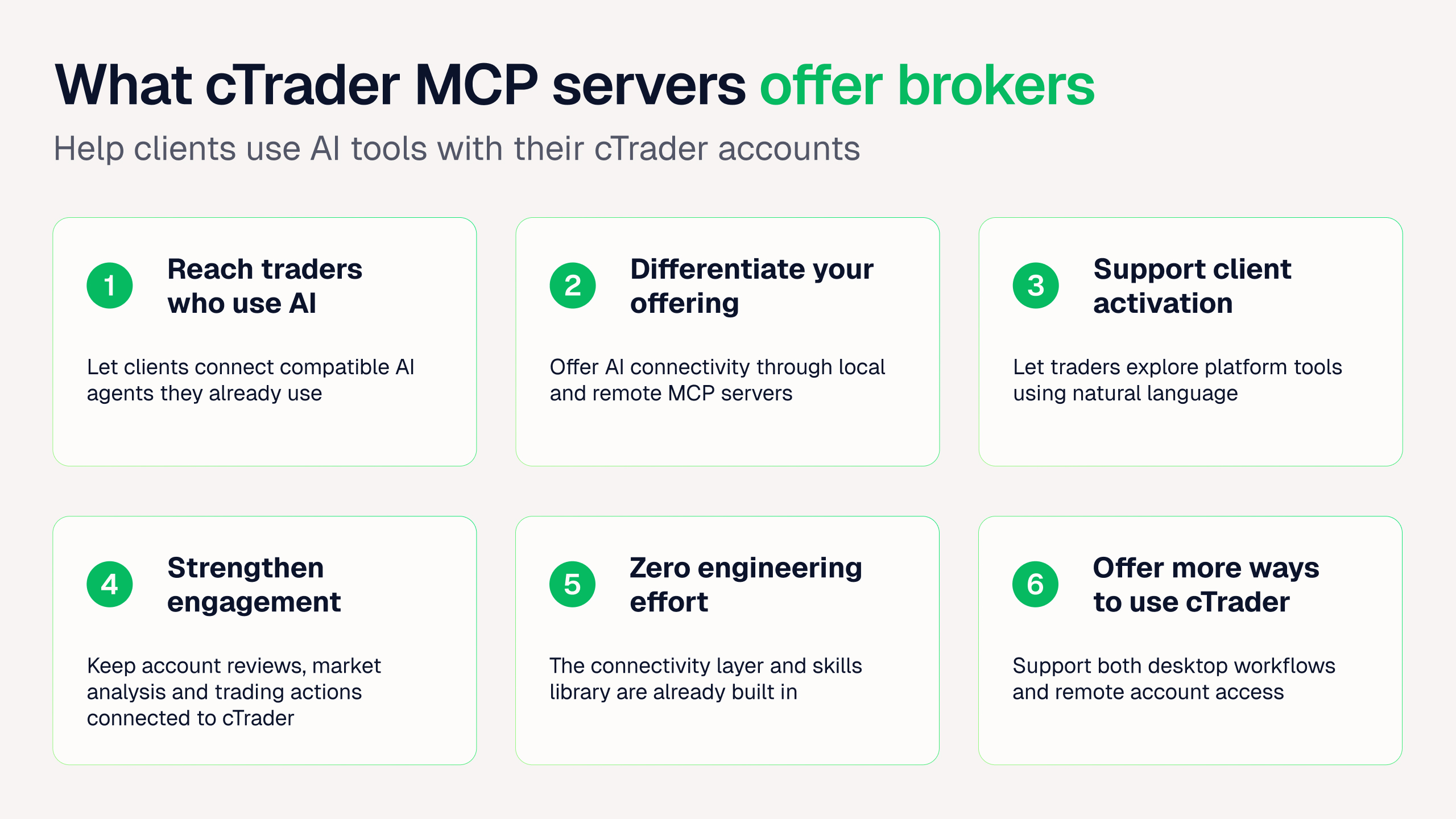
The functionality behind cTrader MCP servers for traders matters less to a broker's bottom line than what it enables commercially. Six points stand out:
1. Reach AI-native trader segments
A growing number of traders already use AI agents such as Claude Code, Cursor or Gemini CLI in their daily work and expect the platforms they trade on to work with those same tools. MCP connectivity gives brokers a concrete way to reach this segment, rather than losing it to competitors who can meet that expectation first. It also opens a marketing angle few brokers are using yet. A broker can speak directly to technically minded traders in language that reflects how they already work.
2. Differentiate the platform offering
cTrader was the first trading platform to offer both a local and a remote MCP server. cTrader's combination of full desktop control through local MCP and instant, ready-to-use remote access is something traders can use today. In a market where many brokers offer near-identical execution and pricing, that's a concrete story sales and marketing teams can use, not just another feature bullet.
3. Support smarter client activation
Getting a new client from registration to an active, funded account is one of the hardest steps in the client journey. MCP servers shorten that path: a trader can move from idea to analysis to a placed order, or from an account check straight into a platform action, without leaving a single conversation with their AI agent. Less friction between deciding and acting means fewer traders register and then never come back.
For prop firm participants specifically, this can make account review far less manual. A trader could ask their AI agent to summarise the past seven days of activity (winning and losing trades, trading costs, open positions, equity and margin) in a single reply instead of pulling each figure separately from the platform.
4. Strengthen retention
When a trader's own AI tool becomes directly connected to their cTrader account, that tool now works inside cTrader instead of alongside it. This gives traders a reason to keep that activity on the broker's platform rather than migrating it elsewhere. Every time they ask their AI agent to check a position or place a trade, that's a touchpoint with the broker, not a workaround built to avoid one. Over time, that kind of daily engagement is one of the strongest predictors of a trader staying active rather than drifting to a competitor.
5. Add AI capability with zero engineering effort
This is one of the strongest arguments for brokers weighing where to invest development resources. cTrader provides the MCP connectivity layer already built, along with a library of ready-made skills that help an AI agent use cTrader's tools more efficiently from the start. Brokers and prop firms can offer AI-assisted trading workflows to their clients without writing a single line of integration code themselves and without maintaining that connection going forward. That frees up internal engineering time for other priorities, while clients still get access to a modern AI-connected trading experience.
6. Build a more future-ready platform
Natural language and agent-based interfaces are becoming a normal way people interact with software, not a novelty. Brokers running cTrader already have the infrastructure in place to support this shift, rather than needing to retrofit it later once trader expectations have moved further ahead. Being ready early also means a broker can adjust its own messaging and onboarding around AI-assisted trading well before it becomes a standard expectation rather than a differentiator.
Conclusion
AI in trading is moving past standalone chat assistants and into direct interaction with the trading platform itself. For brokers and prop firms, that shift is an opportunity to strengthen the client proposition rather than a threat to manage.
cTrader MCP servers give businesses a practical way to offer AI-assisted trading workflows today. They help brokers and prop firms reach new trader segments, differentiate their platform experience, support activation and retention and prepare for how trader expectations around technology will keep changing, all without building a custom AI integration from scratch.