In this release of the cTrader Windows desktop trading application, several much anticipated features are delivered, plus a number of features are introduced to support cTrader’s usability as a multi-asset class CFD trading platform, helping users to understand stock trading as more brokers start to offer Equities CFDs in cTrader. Below is the full feature list of this release.
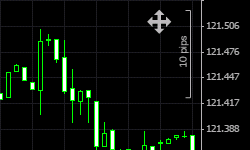
Free Chart Moving
You can now click and drag the chart up, down, left or right to move it freely. The chart will not auto-re-scale. The chart can still be scrolled by using the mouse scrolling or scrollbar.
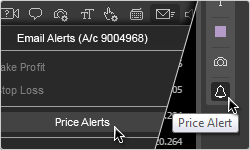
Price Alerts
You can now set alerts to be triggered when a symbol reaches a specific price. Click on the "Bell" icon in the "Line Studies Toolbar" or in the "Email Alerts" menu to set a price alert and get notified when the market reaches your pre-defined target price.
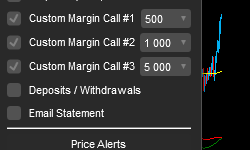
Margin Call Alerts
You can set alerts to be triggered when your account reaches a particular margin level. These settings can be found under "Email Alerts".
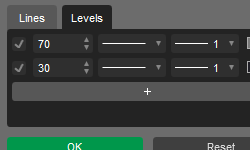
Custom Levels
Custom levels can now be added to indicators that are plotted in a separate chart panel.
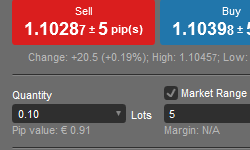
Order Screen Improvements
The order screens have been redesigned. They are more user-friendly and now provide a chart and useful information like pip value and margin required. This is very useful because the Pip value can be different for different markets and different position sizes. In context, the Pip value for 1,000 EUR / GBP = £ 0.10, whereas the Pip value for 1,000 Tesco shares = £1,000
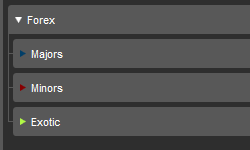
New Symbol Tree
The symbol tree has been redesigned to include subcategories of asset classes and color-coded visuals. For example inside the asset class European Equities (Stocks), there could be subcategories of “UK Equities”, “German Equities”.
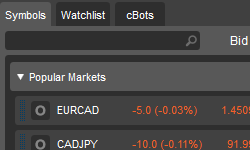
Popular Markets
Popular Markets can be found at the top of the symbol tree, as configured by your broker. This section can contain a blend of asset classes according to what’s popular. This section could contain Forex, Indices, Equities, Commodities instruments that can be traded.
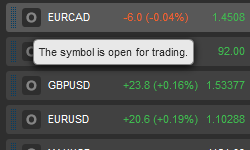
Symbol Status
The status of each symbol can now be viewed as an icon to the left of the symbol name. Examples of statuses are "Open for trading" or "Market Closed". This is very useful due to different stock exchanges operating at different times of the day, even when they are within the same zone. For example, the Hong Kong stock exchange opens at 09:30 and the Singapore stock exchange opens and 09:00, both exchanges are in GMT +8
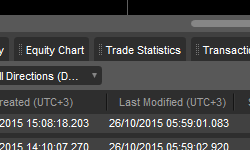
Equity Chart / Trade Statistics
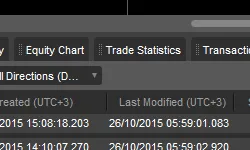
The "Performance Tab" has been split into two tabs. The "Equity Chart" displays the balance and equity curve of your account, while the "Trade Statistics" shows your account's statistics.
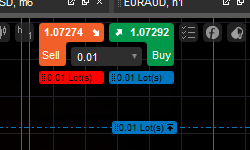
QuickTrade Settings for Orders
The Stop Loss and Take Profit settings in QuickTrade will be applied to pending orders created by dragging and dropping the order handles located below the QuickTrade buttons.