
The new version of cTrader Web has been released to Beta introducing new Favourite Timeframes with chart preferences. In this version, there are also new features in cTrader Copy and a number of other updates which make the platform even more convenient to use.
For instance, with cTrader Web 3.2 traders can:
- Enjoy new Favorite Timeframes with quick access to chart preferences,
- Get a full market picture with Standard DoM added to the ASP Order tab,
- Quickly find the symbol they want to trade with a new symbol Finder,
- Collapse and resize side menu as desired.
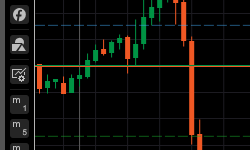
New Favorite Timeframes For more usability enhancement, the Favourite Timeframes with chart preferences is now consolidated on the left side of the charts. Also, your favorite periods for all tick- and time-based chart types are now accessible directly from the chart title bar. Here, you can tick the desired periods to add them to the Favourite Timeframes for quick access. What’s more, you can switch between them using the Up and Down keyboard arrows.
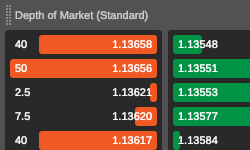
DoM Section in ASP Order Tab To provide you with a full market picture, the Standard DoM has been now added to the Active Symbol Panel’s Order tab. You can also check it from the DoM tab of the ASP panel as before together with other types of DoM.
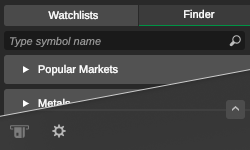
New Symbol Finder The symbol Finder has moved to a new tab next to Watchlists allowing you to quickly switch between the two in the side menu.
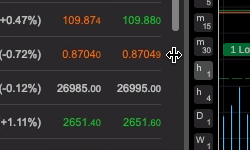
Flexible Side Menu The side menu is now even more convenient to use. It can be collapsed vertically hiding less frequently used menu sections in the below submenu. It can also be resized to show in full longer symbols in your Watchlists or Finder. And, as previously introduced, you can collapse it entirely by clicking the menu button.
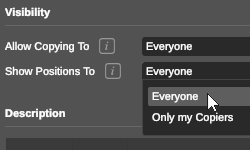
New Features in cTrader Copy 3.2 The updated version of cTrader Web 3.2 also presents several updates in cTrader Copy which has recently become its native feature. Strategy Providers can now decide who sees their positions, and more info was added to the Equity Chart.
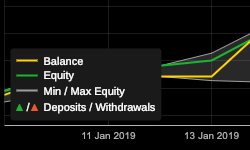
<u>More Informative Equity Chart </u>The Equity Chart in the strategy profile is now more comprehensive providing traders with information about deposit and withdrawal transactions.
The new cTrader Web 3.2 is live on Beta and will be released to brokers in the nearest time.


