It is with great delight that we at Spotware share the release of the new cTrader Web 4.3, which, among other features, includes the addition of account names for user convenience, the closing volume of positions - so users can view the closing volumes of their positions in balance currency, as well as the ability to place pending orders via QuickTrade buttons on the chart, and the addition of the new chart type - Area. These, along with several other features, are part of unionising cTrader Web and Desktop experiences, to make them equivalently smooth and convenient for our users.
Cross-Broker Functionality
Cross-broker functionality allows traders to now access all their existing accounts through a single cross-broker application, and trade with them within one app, with no need to open multiple cTrader applications and switch between accounts.

Create Account Name
Users can now create names for their accounts for maximum convenience. The name is created in settings and displayed in account parameters instead of account number. Just like account number, account name can too be hidden.

“Closing Volume” column in History tab of Trade Watch
“Closing Volume” column has been added to the default settings of the History tab, in order to show users the volume of a closed position not only in lots, but also in balance currency.

Second click on same tool to cancel selection
Users can now disable the selected function in the chart toolbar by clicking on the same button again, as is done in the Desktop application, as opposed to having to click on another element of the toolbar.

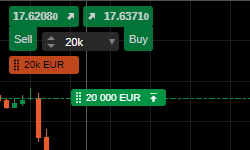
Drag Orders from Chart Quick Trade
Users can now drag pending orders from Chart Quick Trade buttons on the chart, just like in cTrader Desktop.
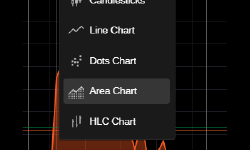
Area Chart type
Area chart type has been added to the chart types too. The Area chart type is similar to the line chart, with the difference being that the area below the line chart is filled with a specific colour. You can use the area chart to easily visualise the long term past movement of the price.
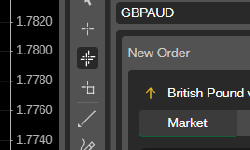
Web Synchronized Crosschair
The Synchronized Crosshair tool allows you to drag the crosshair on one chart while replicating it on multiple open charts, making multi-timeframe technical analysis much more efficient and productive. We also added an option to enable/disable synchronous crosshair on any chart in the context menu - Viewing Options - Synchronize Crosshair
If you wish to discuss the updates, or ask any follow-up questions, please refer to our Community Board, or the cTrader Official Telegram channel.