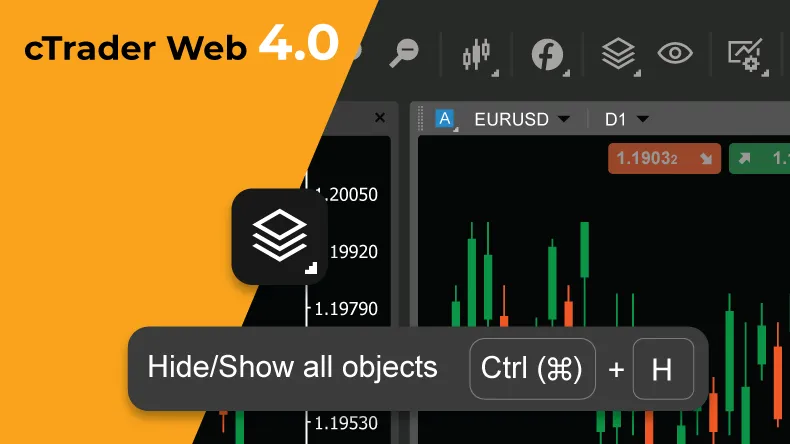
The release of the cTrader Web 4.0 version marks a whole new level of trading experience for our web version users on Windows and Mac devices.
Among many other features, the addition of Active Charts in conjunction with an increased range of hotkeys allows traders to manage the selected chart’s type, settings, timeframes and preferences in a click, while the new Object Manager and advanced charting tools enable effective organization of drawings and indicators.
And to ensure traders always stay on top of market updates – FXStreet News has been integrated into the platform, for superior fundamental analysis purposes.
Chart Toolbar with Active charts
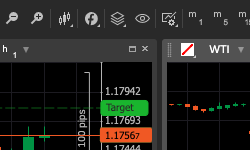
The Chart toolbar provides a single space to manage charts for uttermost convenience. Workspaces, Layout modes, Object manager, Сhart Preferences, as well as favourite timeframes are now available on the top horizontal menu, above charts, for ease of use.
Additionally, the introduction of Active Charts, paired with direct hotkey application delivers a whole new trading experience. A trader can activate the chart by simply clicking on it, and gain the ability to change chart types and settings, zoom in/out, and apply favourite timeframes to the chart in a matter of clicks.
Increased Hotkeys Range
cTrader web has almost doubled the number of hotkeys available within the platform, granting users the ability to benefit from an extended range of hotkeys for faster and more accurate trading. Some of the most highly-requested additions are:
- Ctrl + H – Hide/Show all objects on the active chart
- Ctrl + Right/Left arrow – Switch to next/previous chart
- Shift + Draw line – Draw a line at an angle multiple of 45
- Ctrl + Click on object – Multiple object selection
- Hold Ctrl to continue drawing object
- Double click on Price-axis – Reset price scale
**Privacy Settings **
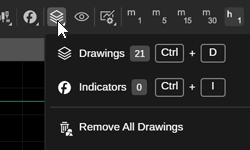
Additional privacy settings allow one to hide sensitive information, such as account number, account balance and cTID name from the screen when trading in public spaces, or during screen sharing. The feature is easily accessible from General Settings – Privacy section.
Object Manager
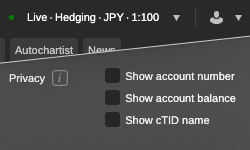
cTrader Web 4.0 introduces Object Manager, located on the top horizontal menu above charts. This new addition allows users to manage drawings and indicators on the chart in a convenient manner. One can search and manage drawings to be per symbol or cross-symbol. In the case of cross-symbol, the drawing will remain visible for any symbol. It also made possible to lock, hide, open settings or delete objects. For ease of use, clicking on the drawing in Object Manager takes traders to the place on the chart, where it is located.
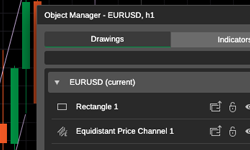
Chart Object Lock/Hide
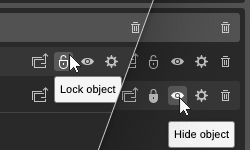
The highly anticipated features of chart object locking and hiding have also been introduced. Once a drawing is placed on the chart, traders can lock its position to prevent accidental interactions. Additionally, one drawing can now be temporarily hidden using the Hide/Show toggle button in Object Manager.
Object Toolbar
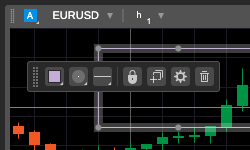
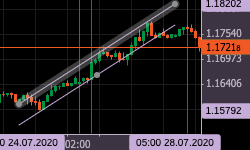
The Object toolbar allows traders to modify a drawing in a single click. Once a trader selects a drawing, the object toolbar pops up automatically, giving the options to change color, line type and thickness, as well as to lock, duplicate, open settings window or delete the drawing.
Hide / Show All objects
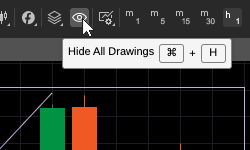
The highly-user-requested Hide / Show All Drawings button, located on the Chart Toolbar above charts, allows to hide all drawings on the chart in a click, allowing to see the clear price picture or create a new drawing without visual noise.
**Object Price & Time Axis Highlight **
Each chart object now shows price and time on the axis, and highlights the area between points for accurate adjustment of the drawings on the chart.
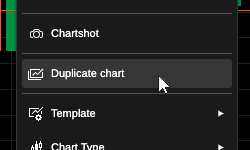
Duplicate chart
One can now fully duplicate a chart with the exact symbol, drawing, indicators and settings by selecting it and clicking on the Duplicate option.
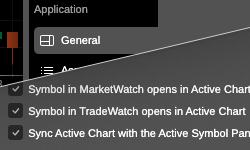
Active Chart Settings
You can configure symbols to open in Active Chart from MarketWatch or TradeWatch. Additionally, you can sync Active Chart with the Active Symbol Panel for maximum convenience.
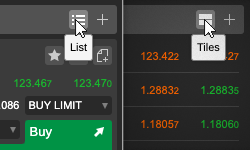
Expand/Collapse Symbol Tiles
You can easily transform symbol lists into tiles, and vice versa, to obtain extra information or hide unnecessary details from your screen.
Help Center
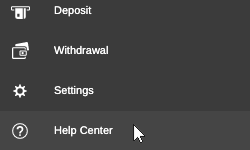
The Help Center, located in the bottom left corner of the platform, combines Help Guides, What’s New, cTrader.com, Open API, Useful Links, Contact, and About cTrader in a single place for user convenience.
Restore Defaults
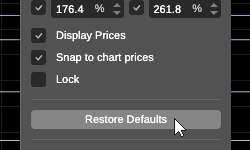
The Restore Defaults button allows users to restore the default settings of any chart object.
Allow / Prohibit Demo Accounts to Copy Strategy
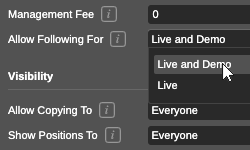
This highly-sought-after feature gives Copy Strategy Providers the option to allow copying of their strategy to Demo and Live accounts, or to Live accounts only. This can be configured when the strategy is being created. If the strategy provider decides to change these settings later on, the strategy provision will have to be stopped first.
**Accounting for Fees and Commissions **
Strategy Providers have to select a separate account to deposit fees and commissions paid by their followers for more convenience and transparency.
**Improved Usability and Performance **
The functional areas of the platform are more responsive now, and it requires less precision to select desired options – the user can simply hover over the areas to view the options.
The new cTrader Web 4.0 is currently live on Beta and will be released to brokers in the nearest future.