With the aim to introduce an all-in-one experience, cTrader Web Beta has been updated to 3.0 version, which brings together everything needed for successful trading.
Try the new cTrader Web 3.0 Beta
Benefits for Traders
The new update provides traders with more information and functionality allowing to quickly grasp the current market situation, and take the actions right away when opportunity strikes. As a result, traders now can take much more weighted trading decisions and have less missed opportunities, expanding their possibilities even further. Visually composed and presented in a redesigned workspace, a new look and feel collects all controls, navigation, and applications in one place to provide traders with more usability, simplicity and flexibility. In addition, this version has incorporated some great features, such us open positions counter and linked charts, based on the explicit demand from traders. Overall, the new update greatly benefits traders on all aspects, while making cTrader a truly first in class trading platform that puts the needs of traders first.
Improved Navigation with Side Menu
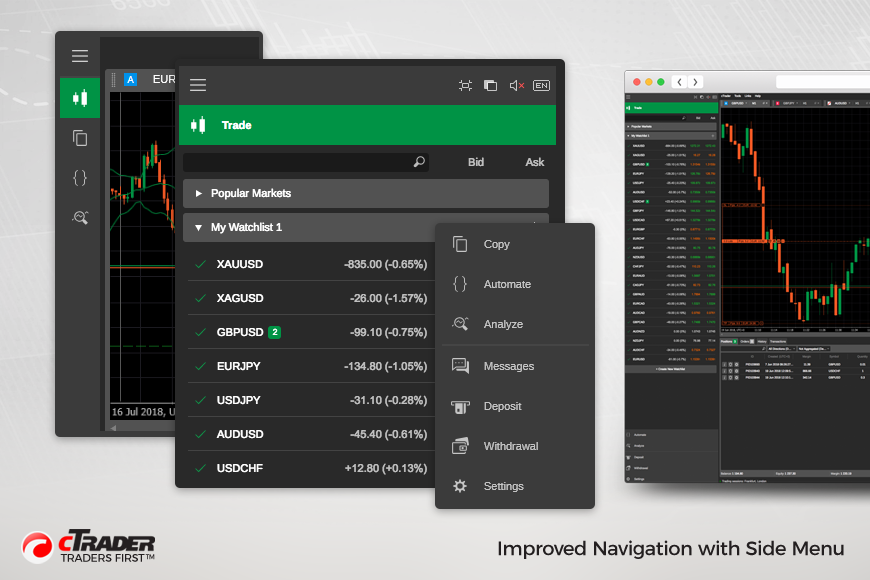
Traders can now take fast actions, modify settings, trade and analyze their performance just in a click using the side menu. It contains full screen mode, theme switching, sounds and language selection controls. The side menu has also embedded a symbol finder and watchlists in Trade application. This way, traders have all the navigation organized in one place, making it much easier and simpler for them to use. For even greater convenience, the side menu can be collapsed to a hidden menu if desired.
Full Symbol Information in an Active Symbol Panel
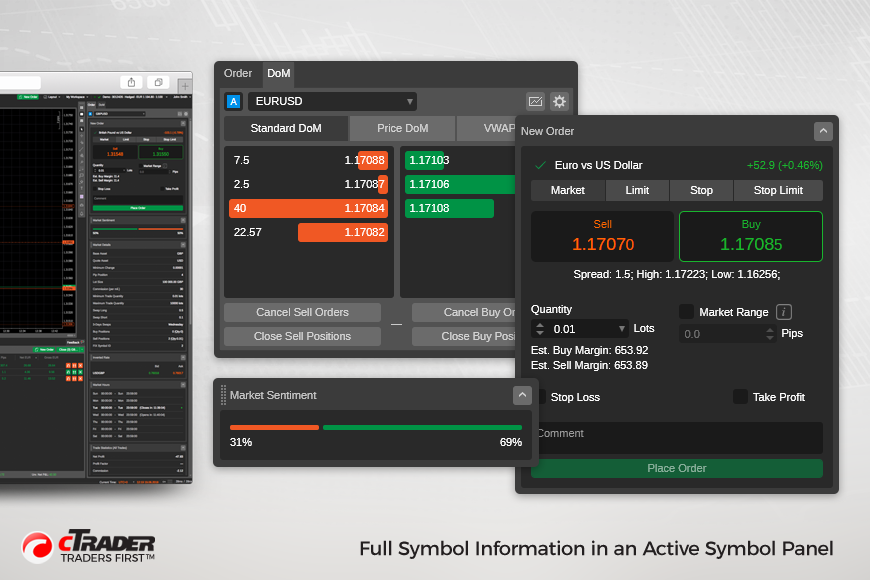
Active Symbol Panels is a new panel which provides a full market overview on a particular symbol at a glance leveraging trading experience. Active Symbol Panel contains Market Sentiment, Market Details, Trade Statistics, Market Hours, related Links, Inverted Rate, Leverage, as well as Depth of Market. In addition, traders can take fast actions right from the Active Symbol Panel: open new charts, create new orders and change symbols. Active Symbol Panel is configurable and can be enabled to switch symbol from it in Watchlists and Tradewatch at the same time. The extended information per symbol and fast action tools equip traders with greater trading possibilities.
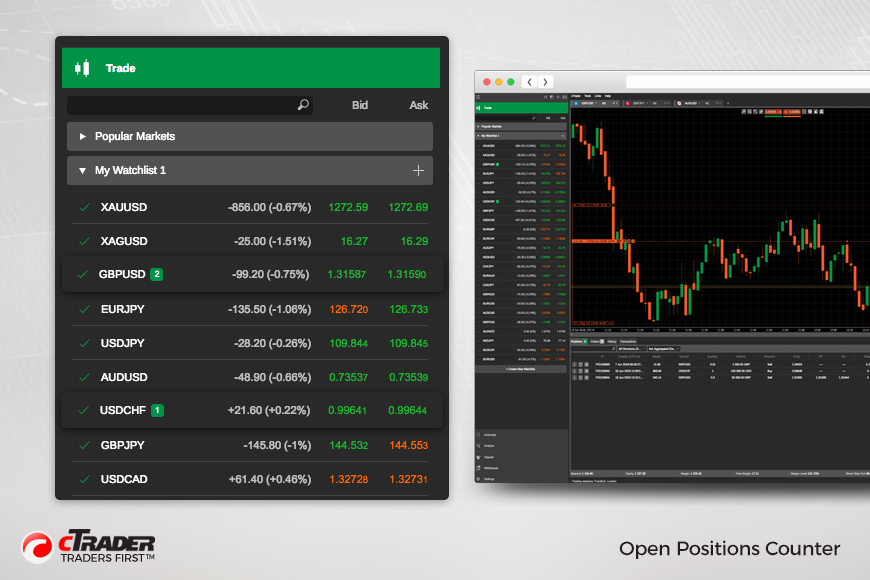
Open Positions Counter
A highly demanded and very useful feature, the open positions counter, has been added to the watchlist, showing traders how many opened positions they have per traded symbol.
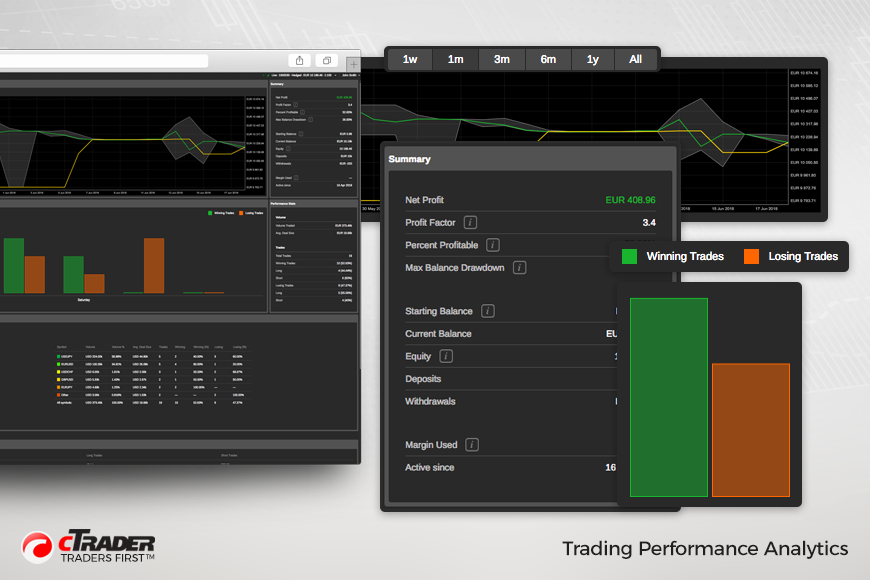
Trading Performance Analytics
Traders can now analyze their trading performance using Analyze application, available from the menu. It is a new analytical tool which contains key trading performance information, such as Performance Summary, Equity chart, Performance chart, Statistics on Performance, Volume, and Trading. It allows to quickly understand the current state of trading activities as well as analyze performance from different perspectives and time ranges, allowing traders to take wiser decisions.
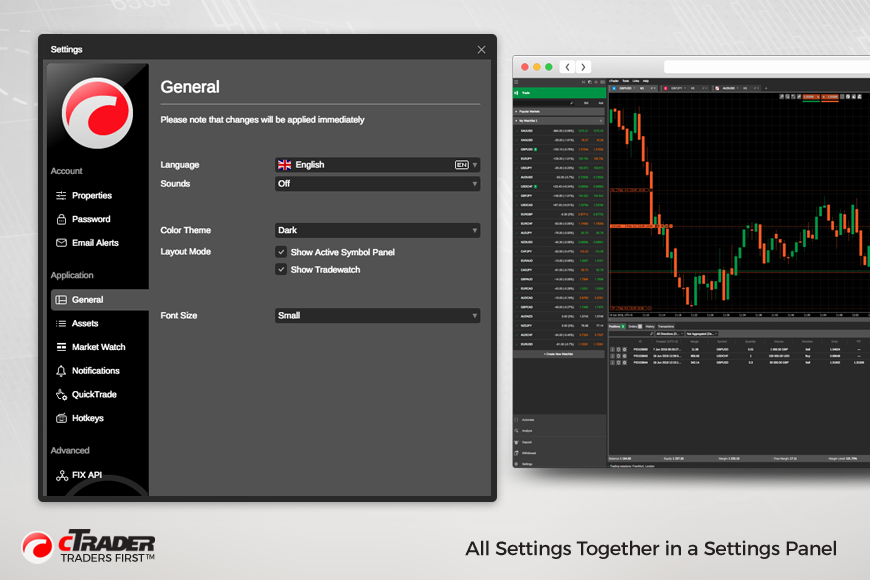
All Settings Together in a Settings Panel
Now all cTrader settings have been brought together into a new Settings panel, available from the menu, and split into appropriate sections. The Settings panel is a single point to configure the cTrader preferences.
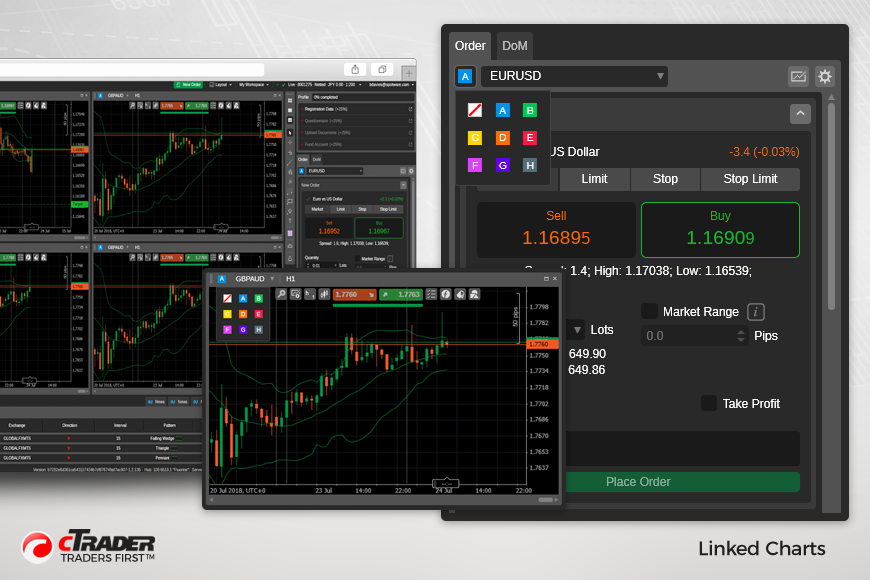
Linked Charts
Another highly demanded feature that is now available in cTrader is linked charts. By using colors, traders can link a symbol to several charts allowing traders to switch between symbols while retaining specific chart settings like timeframes, chart type, indicators, drawings, and others. In other words, traders don’t need to configure a chart all over again for every newly selected symbol. What’s more, traders can create multiple group of charts for even more convenience.
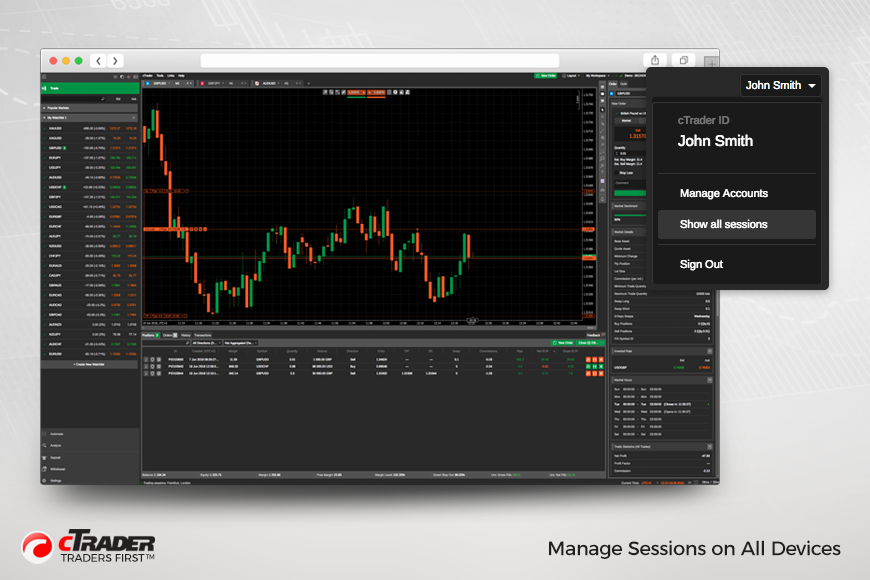
Manage Sessions on All Devices
Since cTrader is a multi-device application, a possibility to manage sessions on different platforms and devices has been added in order to enhance privacy and security of the trading activities.
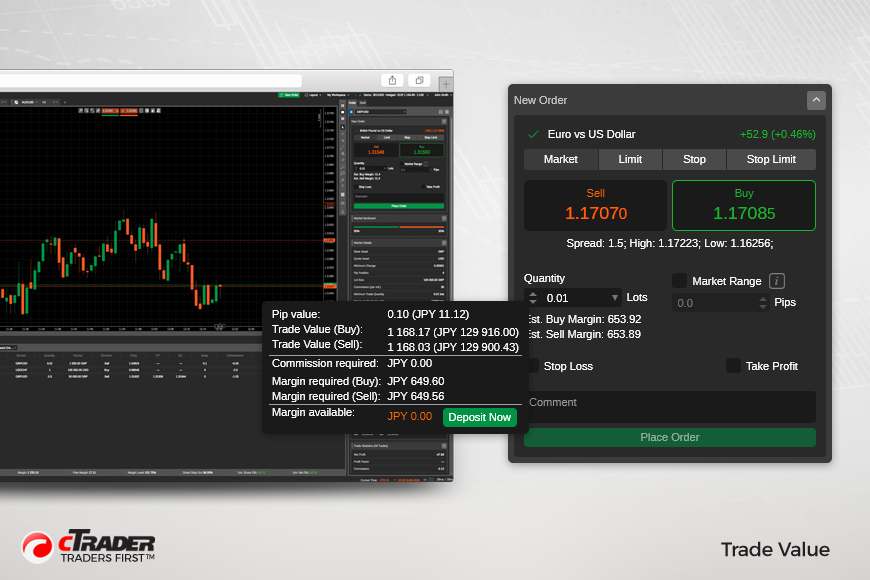
Trade Value
Trade Value, that shows how much selected volume is worth in deposit currency, has been added for more convenience.
Improved Visual Design and Application Layout
cTrader has improved visual design of interface elements, controls and application layout to provide more vivid trading experience.
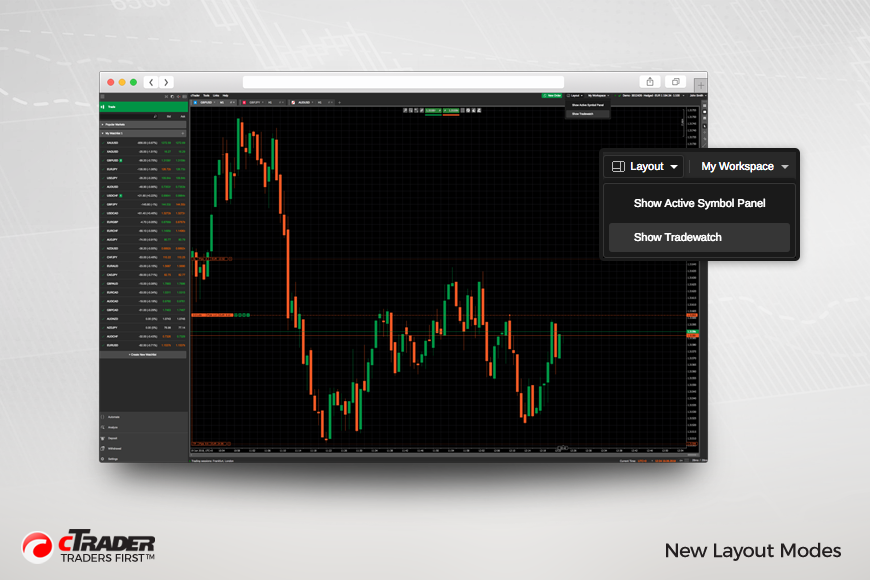
New Layout Modes
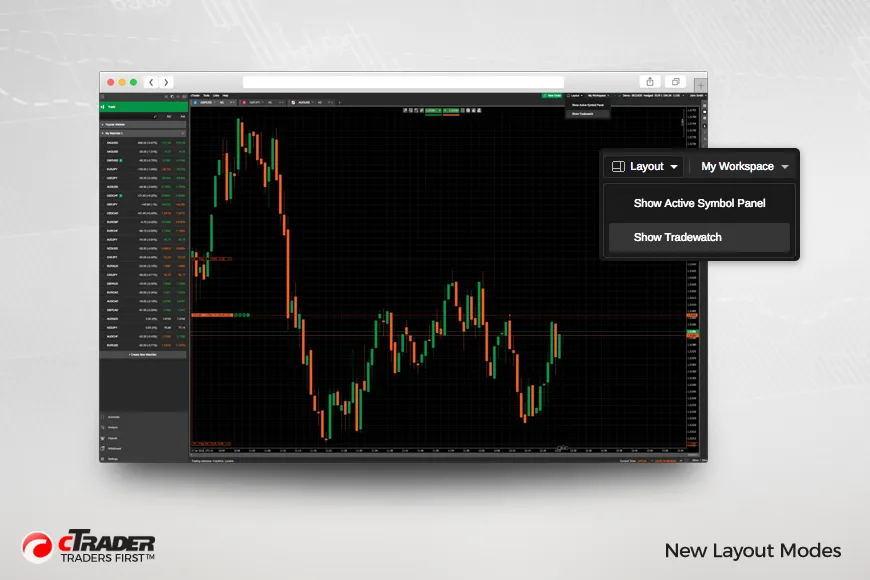
New cTrader application layouts have been introduced, such as Show Active Symbol Panel and Show Tradewatch. Layout options are available in the menu bar and Settings panel.
New Languages
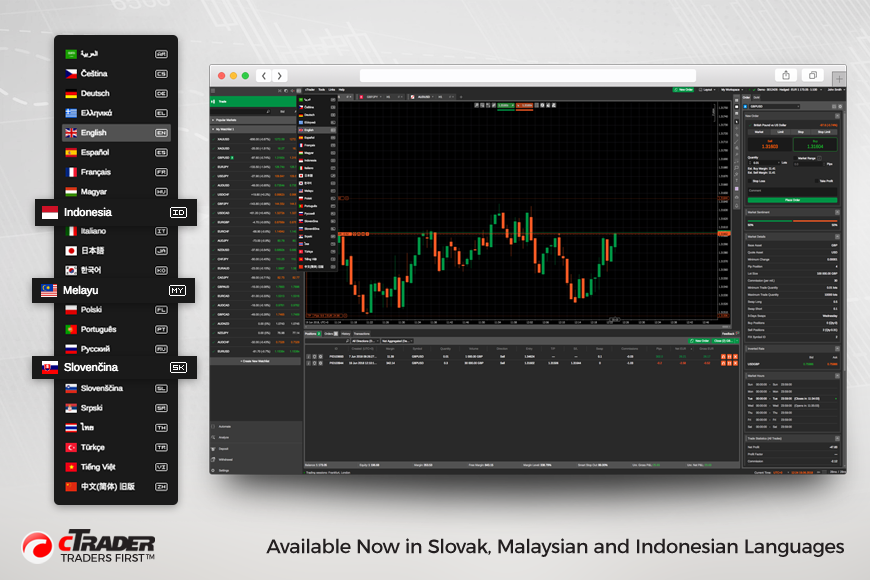
Now cTrader is available in Slovak, Malaysian and Indonesian languages.