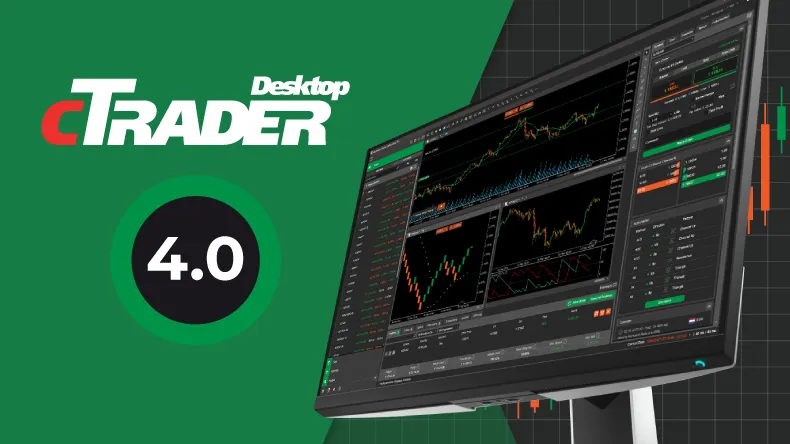
The cTrader Desktop 4.0 version introduces Active Charts in conjunction with an increased range of hotkeys, a smart chart search and the ability to copy/paste chart drawings.
When it comes to fundamental and technical analysis, the update offers FXStreet News and Autochartist, respectively, while the release’s convenience features include the ability to deposit and withdraw funds to/from Demo accounts, ability to duplicate charts, expand/collapse symbol tiles, chart keyboard events in API, as well as API changes for drawing events, chart activation/deactivation and more, unveiling an entirely new level of trading experience.
Chart Toolbar with Active charts
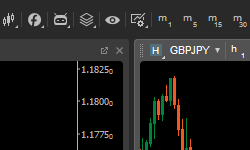
The Chart toolbar provides a single space to manage charts for uttermost convenience. Workspaces, Layout modes, Object manager, Сhart Preferences, as well as favourite timeframes are now available on the top horizontal menu, above charts, for ease of use.
Additionally, the introduction of Active Charts, paired with direct hotkey application delivers a whole new trading experience. A trader can activate the chart by simply clicking on it, and gain the ability to change chart types and settings, zoom in/out, and apply favourite timeframes to the chart in a matter of clicks.
Hotkeys for Active Charts
Some of the new hotkeys simplify the most common tasks in cTrader and others bring new useful features. You can find the list of all hotkeys and change default assigned keys in settings.
- **Space **- Open Smart Chart Search
- Ctrl + C, Ctrl + V, Ctrl + X - Copy, paste and cut chart drawings
- Ctrl + Tab, Ctrl + Shift + Tab - Switch between charts
- Ctrl + Q - Show/hide side menu on the left
- Ctrl + W - Show/hide Tradewatch at the bottom
- Ctrl + E - Show/hide Active Symbol Panel on the right
- Ctrl + N, Ctrl + Shift + N - Open new chart, attached or detached
- Ctrl + D, Ctrl + I - Open Object Manager on Drawings or Indicators tab
- Ctrl + A - Select all drawings
- Ctrl + H - Hide/show all drawings
- F1 - Open Help Center
- Shift + Drawing - Constrained drawing: 45 degrees for lines, rectangle, or circle
- Ctrl + Drawing - Keep drawing instrument selected after finishing with drawing
Smart Chart Search
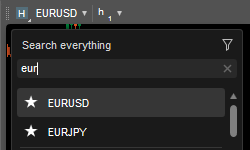
Smart Chart Search is a new and quick way to alter symbols and periods, add cBots and indicators, or apply chart templates.
Press Spacebar to start typing, then use Down and Up keys to select an item and press Enter to apply changes.
Copy and Paste Chart Drawings
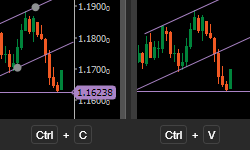
Use Ctrl + C and Ctrl + V to copy and paste drawings between charts. Drawings are copied as a JSON formatted text, so you are free to share them with others.
FxStreet News integration
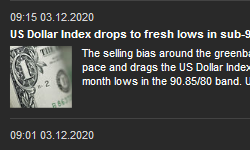
The addition of FXStreet's latest news and trading updates that can be found on the ASP (Active Symbol Panel), ensures traders stay on top of market opportunities in real-time, without leaving their trading space.
Autochartist
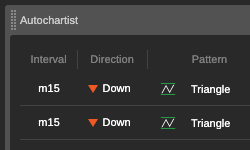
The Autochartist Market Analysis tool can help you make more informed trading decisions, get acquainted with different technical analysis concepts, and gain extra validation of your own analysis.
Autochartist identifies potential trade opportunities using Chart Patterns, Fibonacci patterns, and Key Levels. The analysis is generated per symbol, for a timeframe as low as 15 minutes, providing you with a graphical illustration and information on the direction of potential price movement along with the forecasted price.
Deposit and withdrawal to/from Demo accounts
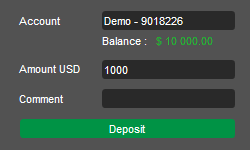
The ability to deposit and withdraw funds to/from demo accounts allows users to observe the real-life trading picture, as opposed to the usual demo funds option.
Active Chart Settings
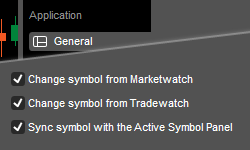
You can configure to change the symbol in Active Charts from MarketWatch or TradeWatch. Additionally, you can sync Active Charts with the Active Symbol Panel for maximum convenience.
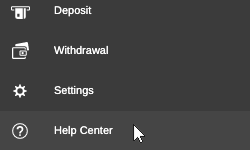
Help Center
The Help Center, located in the bottom left corner of your platform, combines Help Guides, What's New, cTrader.com, Open API, Useful Links, Contact and About cTrader, in a single place for your convenience.
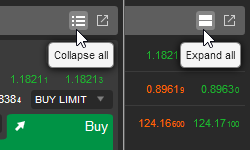
Expand/collapse symbol tile
You can easily transform a symbol list into tiles in Market Watch. To expand/collapse a single symbol item, select the corresponding item in the right-click menu.
Duplicate chart
You can now fully duplicate a chart with the exact symbol, drawings, indicators, and settings by selecting Duplicate in the right-click menu.
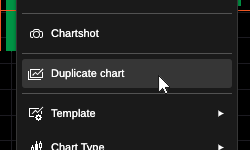
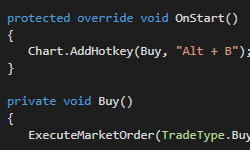
Chart Keyboard Events in API
cBots and custom indicators can now handle keyboard events and assign custom hotkeys.
Read more about the new Chart.KeyDown event and Chart.AddHotkey method here.
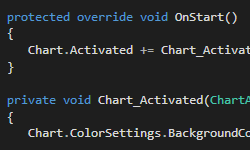
API for handling chart activation/deactivation
Only an active chart will get keyboard and custom hotkey events. New API allows tracking when a chart is activated or deactivated. Read more here.
API changes for drawings events
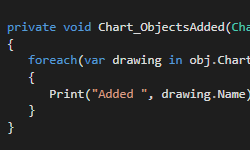
With the introduction of multiple selected drawings, the following events have changed:
ObjectAdded, ObjectUpdated, ObjectRemoved, ObjectSelectionChanged. Read more here.
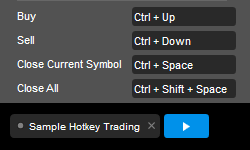
Sample Hotkey Trading
A new cBot sample was added to demonstrate hotkeys API. With this cBot you can send market Buy and Sell orders, as well as close positions using configurable hotkeys. It can be used with Visual Backtesting for manual strategy testing.
If you wish to discuss the updates, or ask any follow-up questions, please refer to our Community Board, or the cTrader Official Telegram channel.