cTrader Desktop 3.5 is released on Beta showcasing the new look that now very much resembles and shares the benefits of cTrader Web. The new version comes with the Active Symbol Panel that provides a full market overview for a particular symbol and a new side menu with embedded symbol finder and watchlists for better navigation. Both features have been successfully introduced in cTrader Web already. Apart from that, the 3.5 version has additional features and tools in the cTrader Automate application. Overall, this update provides traders with more usability and improves their overall trading experience.
Download cTrader Desktop 3.5 Beta
Active Symbol Panel
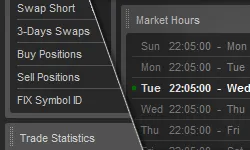
Active Symbol Panel (ASP) is now available in cTrader Desktop 3.5. It provides detailed symbol information including Market Sentiment, Market Details, Trade Statistics, Market Hours, Inverted Rate, Leverage, and Depth of Market. The ASP panel has fast controls enabling traders to quickly open new charts, create new orders and change symbols. They can now also link charts not only between the different charts but also charts with the ASP panel, as well as switch symbol from ASP panel in Watchlists. The introduction of ASP panel allows traders to quickly grasp the current market situation for the symbol of their interest and take fast actions when the opportunity strikes increasing their trading possibilities.
Merged Side Menu
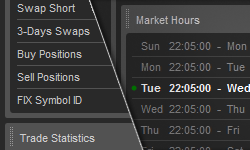
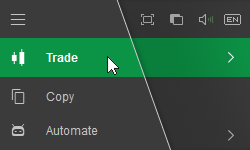
The new cTrader Desktop also has a new side menu merging all the applications, settings, fast controls and watchlists under one hood. The new menu contains full-screen mode, theme switching, sounds, and language selection controls at the top. The symbol finder and watchlists are embedded in the side menu under Trade application, followed by Automate, and Analyze applications. The merged menu not only greatly improves navigation but also saves more space once collapsed comparing to the previous version.
New Accounts Menu
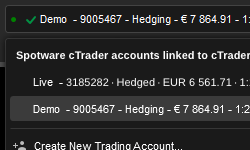
The new Accounts menu provides fast access to traders’ accounts that are linked to their cTrader ID.
New Layout Modes
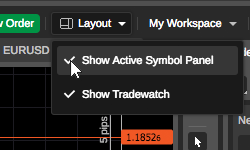
New cTrader application layouts have been introduced, such as Show Active Symbol Panel and Show Tradewatch. By removing the ticks from both and collapsing menu, traders will be able to see only charts on their screen, thus expanding their view. The new layout options are available in the menu bar and settings panel.
Added Live Renko Bar
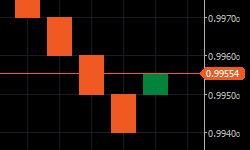
For a fuller picture of the price movement, Renko charts have a live bar now.
Improved Visual Design and Application Layout
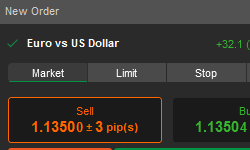
cTrader Desktop 3.5 has improved visual design of interface elements, controls and application layout to provide more vivid trading experience.
New Features in cTrader Automate 3.5
cTrader Automate, which is now a native feature of cTrader, also got a facelift, as well as added new features.
<u>New Look for cBots and Indicators Lists</u>
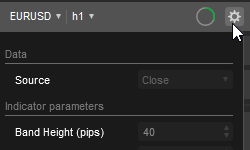
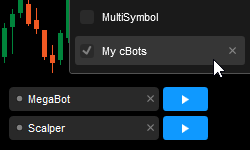
Same way as Watchlists in Trade application, the cBots and indicators lists have moved in the side menu under Automate application, where now traders can also find a Backtesting and Optimization progress bar and input parameters grouping for cBots and indicators.
<u>New Methods in cTrader Automate API</u>
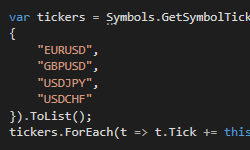
Thanks to the new methods added, 3rd party applications that are using cTrader Automate API can now get all symbols, available in cTrader, read watchlists, change chart symbol and timeframe. Custom enums can be used for input parameters and parameters can be grouped on UI.
<u>cBots Saving in Chart Templates</u>
cBots can now be saved inside chart templates.
cTrader Desktop 3.5 will be released to brokers in the nearest future. Meanwhile, you can try the new features on Beta version.